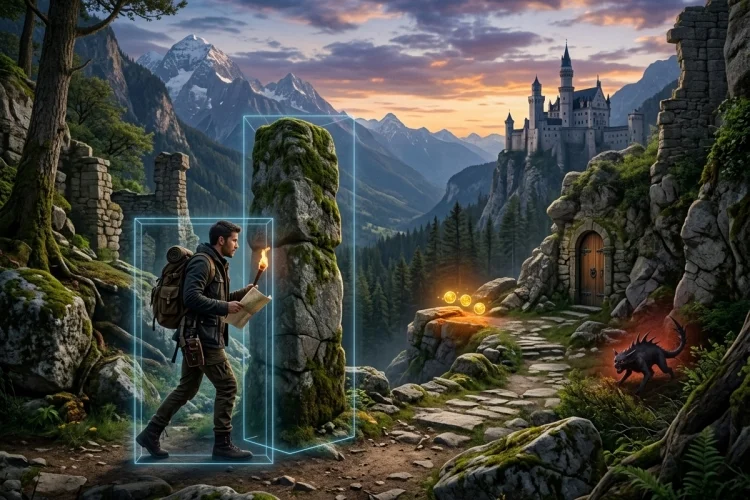
A character walking through walls can destroy the illusion of a game in seconds. Players expect solid floors, collectable coins, dangerous enemies, and interactive doors to respond when they are touched.
Collision detection is the system that makes those interactions possible. Learning how collision detection works in GameMaker is important because detecting contact is only one part of the process.
Your game must also decide what happens next. A wall should stop the player, a coin should increase the score, and an enemy might reduce health. GameMaker offers several ways to handle these situations.
You can use Collision Events for automatic reactions, place_meeting() to check a future position, instance_place() to identify a specific instance, or move_and_collide() to combine movement and obstacle avoidance.
This guide explains the main collision tools, how sprite masks affect detection, and how to avoid common beginner mistakes. The examples use simple GML code that you can adapt for platformers, top-down adventures, puzzle games, and other 2D projects.
What Collision Detection Means in GameMaker
Collision detection determines whether two game elements overlap or whether a particular position is occupied. In GameMaker, traditional non-physics collisions are generally calculated using the collision masks assigned to the relevant instances.
Detection does not automatically tell your game what the result should be. GameMaker may recognise that a player and a coin overlap, but you still need code that adds points, plays a sound, and removes the coin.
This creates two separate responsibilities:
- Detection: Has a collision occurred?
- Response: What should happen because of it?
For example, touching a wall may cancel movement. Touching an enemy may reduce health, while reaching an exit could load another room.
Keeping detection and response logically separate makes collision code easier to understand. It also lets the same object react differently depending on what it touches.
How Collision Masks Affect Detection
A collision mask is the shape GameMaker uses when checking contact. It is usually connected to an object’s assigned sprite, although an object can use another sprite specifically as its mask.
A visible image alone is not enough. If an instance has no valid collision mask, GameMaker cannot detect traditional mask-based collisions with it, even when the artwork is clearly visible on the screen.
Imagine a character sprite with flowing hair and a large sword. A precise mask that follows every visible pixel could cause the hair or weapon to hit walls. A smaller rectangular mask around the character’s body may create smoother and fairer movement.
The right shape depends on the asset. A rectangular mask is often practical for walls and characters, while rotated objects may need a mask that supports rotation.
GameMaker’s official movement tutorial specifically recommends a rotated rectangle mask when walls themselves will be rotated.
Always inspect masks when collisions feel inaccurate. Unexpected gaps, invisible barriers, and characters getting stuck on corners often come from masks that do not match the intended physical area.
Using the Collision Event
The Collision Event is one of the most direct ways to react when two object instances overlap. You add the event to one object and select the other object type it should detect.
Suppose obj_player should collect obj_coin. Add a Collision Event with obj_player to the coin object and write:
global.score += 10;
instance_destroy();
When a coin instance collides with the player, the score increases and the coin destroys itself.
Inside a Collision Event, the built-in keyword other refers to the other instance involved. This is useful when you need to read or change its variables:
other.health -= damage;
instance_destroy();
Here, a projectile reduces the health of whatever instance it hits before disappearing.
Collision Events work well for pickups, enemy contact, triggers, and other reactions that should occur after an overlap is detected.
Movement against solid obstacles often benefits from checking the destination before moving, however, because preventing an overlap is usually cleaner than correcting one afterward.
Checking Future Positions with place_meeting()
The place_meeting() function checks whether an instance would collide at a specified position. It returns true when contact is found and false when the position is clear.
A simple horizontal movement check looks like this:
var _hsp = keyboard_check(vk_right)
         - keyboard_check(vk_left);

_hsp *= 4;

if (!place_meeting(x + _hsp, y, obj_wall))
{
    x += _hsp;
}
The exclamation mark means “not.” The player moves only when there is no wall at the proposed position.
For four-directional movement, check the two axes separately:
if (!place_meeting(x + _hsp, y, obj_wall))
{
    x += _hsp;
}

if (!place_meeting(x, y + _vsp, obj_wall))
{
    y += _vsp;
}
Separating horizontal and vertical checks allows the player to continue sliding along one axis when the other is blocked. This usually feels better than cancelling all movement whenever either direction encounters an obstacle.
place_meeting() can check an object, an individual instance, a tile map, or an array containing several collision targets. GameMaker effectively tests the instance at the requested position and then restores its original location.
Identifying What Was Hit with instance_place()
Sometimes knowing that a collision exists is not enough. You may need the exact instance involved so you can inspect its variables, apply damage, or trigger unique behaviour.
The instance_place() function performs a positional collision check and returns the ID of the detected instance or tile map. When nothing is found, it returns noone. The manual notes that place_meeting() is slightly faster when you only need a Boolean result.
Here is a simple attack example:
var _target = instance_place(x + 24, y, obj_enemy);

if (_target != noone)
{
    _target.health -= 20;
}
The code checks a position 24 pixels to the right. When an enemy is found, its unique instance ID is stored in _target, allowing the attack to modify that particular enemy.
This is useful when several instances share the same object. You may have ten enemies in a room, but only the one touching the attack should lose health.
Use place_meeting() for a simple yes-or-no question. Use instance_place() when the identity of the colliding instance matters.
Moving with move_and_collide()
GameMaker also provides move_and_collide(), which moves an instance along the X and Y axes while avoiding specified objects or tile maps. It can navigate small steps and slopes that might block a simpler movement check.
A basic example is:
var _hsp = move_x * move_speed;
var _vsp = move_y * move_speed;

var _hits = move_and_collide(_hsp, _vsp, obj_wall);
The function returns an array containing the instances or tile maps that affected the movement. You can inspect that result when different obstacles require different reactions.
It can also accept an array of targets:
move_and_collide(_hsp, _vsp, [obj_wall, obj_rock, obj_closed_door]);
This approach can reduce the amount of custom collision-resolution code required in a beginner project. GameMaker’s official introductory tutorial presents it as a quick way to create movement with working obstacle collisions.
However, the returned array does not necessarily contain every overlapping object at the destination. It contains the objects or tile maps that affected the movement while the function resolved its path. Use a broader query such as instance_place_list() when you need all possible contacts.
Object Collisions, Tile Maps, and Physics
Collision targets do not always need to be individual wall objects. GameMaker’s collision functions can also work with tile map IDs, which is useful when a level is built from collision tiles.
You can retrieve a tile map ID once in the Create Event:
collision_tiles = layer_tilemap_get_id("CollisionTiles");
Then include it in a collision check:
if (!place_meeting(x + _hsp, y, [obj_wall, collision_tiles]))
{
    x += _hsp;
}
Tile-based collision can reduce the need to place hundreds of separate wall instances. It is especially useful for platform levels and grid-based maps.
GameMaker also has a physics system based on fixtures and physical shapes. When physics is enabled, collisions use those fixtures rather than traditional sprite masks, and the engine can calculate physical reactions such as velocity changes and bouncing.
Beginners should usually learn standard collision functions first. The physics system is valuable for games that genuinely need simulated forces, rotation, friction, joints, or realistic reactions.
Common Collision Problems and Practical Fixes
Tunnelling happens when an instance moves so far during one step that it passes completely through a thin obstacle. Checking only the final destination may miss everything between the starting and ending positions.
Reduce movement into smaller increments, use a function that checks the path more carefully, or ensure obstacles are thick enough for the game’s maximum speed. Fast bullets may require line-based checks rather than ordinary destination testing.
Another common problem is starting the room with instances already overlapping. Collision code designed to prevent future contact may not know which direction should resolve an existing overlap.
Inconsistent collision masks can also make animated characters feel unstable. If each animation frame has a different mask, the physical boundary may expand and shrink while the animation plays. Assigning a separate, consistent mask sprite can prevent this.
Finally, avoid checking every instance against every possible object without a reason. Choose the narrowest collision function and target that fits the task.
GameMaker provides different functions because a Boolean check, a single-instance lookup, and a complete list of contacts solve different problems.
Collision detection in GameMaker connects visual objects to meaningful gameplay.
Collision masks define the areas that can touch, while Collision Events and functions such as place_meeting(), instance_place(), and move_and_collide() help your code detect and respond to contact.
The best tool depends on the question you are asking. Use a Collision Event for direct overlap reactions, place_meeting() for a Boolean position check, and instance_place() when you need the exact target.
For convenient movement resolution, experiment with move_and_collide().
Create a small room containing a player, walls, a coin, and an enemy. Test each collision method separately, inspect the masks, and adjust the responses until every interaction feels predictable and fair.