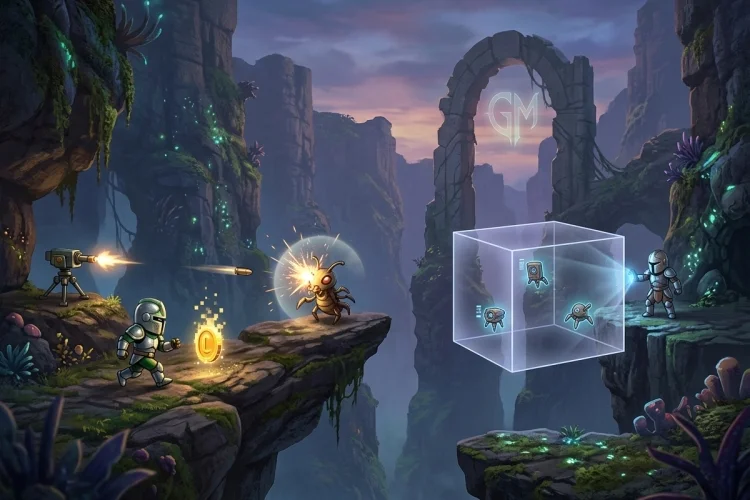
Collisions are responsible for many of the moments that make a game interactive. A player touches a coin, a bullet strikes an enemy, a character walks into a wall, or an attack reaches several targets inside a rectangular area.
GameMaker offers two main approaches for handling these situations: Collision Events and collision functions. They may appear to do the same job, but they give you different levels of control.
A Collision Event reacts after GameMaker detects an overlap between two instances. Collision functions let your code actively ask questions such as, “Would I hit a wall at this position?” or “Which enemy is inside this attack area?”
Understanding Collision Events vs Collision Functions will help you write cleaner movement, combat, and interaction systems. Neither approach is always better.
The right choice depends on when the check should happen, what information you need, and how much control the system requires.
What Is a Collision Event?
A Collision Event is an object event that runs when an instance overlaps an instance of a selected object type. You add it through the Object Editor and choose which object should trigger it.
Without physics enabled, GameMaker calculates these contacts using the collision masks assigned to the two instances. If either instance has no valid mask, the event will not detect a collision even when both objects are visibly overlapping.
Imagine that obj_coin needs to react when the player touches it. You could add a Collision Event with obj_player to the coin object:
global.score += 10;
instance_destroy();
The event is easy to understand. When the coin overlaps the player, it adds points and removes itself.
Using the other keyword
Inside a Collision Event, self represents the instance running the event, while other represents the second instance involved in the collision. GameMaker handles each collision as an interaction between those two individual instances.
For example, a player colliding with an enemy projectile might use:
health -= other.damage;
instance_destroy(other);
This reads the damage value from the exact projectile involved rather than from every projectile object in the room.
What Are Collision Functions?
Collision functions are GML functions that perform checks whenever your code calls them. Instead of waiting for a general overlap event, you decide the position, area, object type, and timing of the test.
GameMaker includes simple positional checks, instance-returning functions, list functions, and area-based queries. The best option depends on whether you need a Boolean answer, one target, or every target inside an area.
A common example is place_meeting():
if (!place_meeting(x + 4, y, obj_wall))
{
    x += 4;
}
The function checks whether the calling instance would collide with obj_wall at x + 4, y. It temporarily evaluates the instance at that location and returns either true or false.
This allows the game to check the destination before movement occurs. It is especially useful for walls, floors, doors, and other obstacles that should prevent movement.
The Main Difference: Reaction vs Control
The simplest distinction is that Collision Events are generally reactive, while collision functions are active queries.
A Collision Event effectively says:
“Run this code when these two object types overlap.”
A collision function says:
“Check this position or area now, then give me the result.”
That difference matters when building movement. If a player moves directly into a wall and relies only on a Collision Event, the overlap has already happened by the time the response runs. You may then need to move the character backward or resolve the penetration.
With place_meeting(), you can test the destination first and cancel the blocked movement:
var _next_x = x + horizontal_speed;

if (!place_meeting(_next_x, y, obj_wall))
{
    x = _next_x;
}
GameMaker does have a solid property that can return a colliding instance to its previous position before running Collision Event code. However, explicit movement checks usually make custom behaviour easier to predict and adjust.
When Collision Events Are the Better Choice
Collision Events are excellent for simple interactions that should occur naturally whenever two instances touch.
Collectibles are a good example. A coin does not usually need to predict where the player will move. It simply needs to respond when contact occurs.
// obj_coin collision with obj_player
other.coins += 1;
instance_destroy();
Damage triggers can also work well as events:
// obj_hazard collision with obj_player
other.health -= 1;
Collision Events are especially convenient when the relationship between two object types is direct and permanent. Coins always react to players, projectiles always react to enemies, and level exits always react to the character entering them.
They also make beginner projects easier to read because the interaction appears in the relevant object’s event list. You can open the coin object and immediately see what happens when it touches the player.
However, Collision Events become less convenient when the same interaction depends on many states. An enemy might be vulnerable only during an attack frame, for example, or the player may need to check a point several pixels ahead rather than the current mask overlap.
When Collision Functions Are the Better Choice
Collision functions are better when you need precise timing, predictive movement, custom shapes, or direct access to the result.
Checking whether something exists
Use place_meeting() when you only need true or false:
on_ground = place_meeting(x, y + 1, obj_ground);
This is useful for checking floors, walls, ladders, or interactive objects near the player.
Getting the instance that was found
Use instance_place() when you need the unique instance involved. It returns the instance handle or noone when nothing is found. The official manual notes that place_meeting() is slightly faster when the instance ID is unnecessary.
var _enemy = instance_place(x + 24, y, obj_enemy);

if (_enemy != noone)
{
    _enemy.health -= attack_damage;
}
This approach lets you change variables on the exact enemy hit by the attack.
Checking a custom area
Functions such as collision_rectangle() let you test an area that is not limited to the calling instance’s current mask. The function can return the first matching instance or tile map found inside the defined rectangle.
var _target = collision_rectangle(
    x - 32,
    y - 16,
    x + 32,
    y + 16,
    obj_enemy,
    false,
    true
);

if (_target != noone)
{
    _target.health -= 20;
}
This can represent a sword swing, explosion zone, selection box, or detection area.
Using Functions for Movement and Collision Response
Detecting an obstacle is not the same as moving around it. A basic place_meeting() system often checks horizontal and vertical movement separately:
if (!place_meeting(x + hsp, y, obj_wall))
{
    x += hsp;
}

if (!place_meeting(x, y + vsp, obj_wall))
{
    y += vsp;
}
This lets the character slide along a wall when only one axis is blocked.
GameMaker also provides move_and_collide(), which moves an instance in several smaller steps while avoiding selected objects or tile maps. It can navigate certain slopes and small obstacles that would stop a single destination check.
var _hits = move_and_collide(hsp, vsp, obj_wall);
The function returns an array containing the instances or tile maps that affected the movement. It does not necessarily return every object overlapping the final position, so use a list-based collision function when you need all contacts.
Can You Use Collision Events and Functions Together?
Yes. In many projects, the cleanest solution is to combine both approaches.
A platform character might use collision functions for solid movement because the code needs to predict floors and walls. The same character could still use Collision Events for coins, enemy contact, checkpoints, or level exits.
For example:
// Step Event
if (!place_meeting(x + hsp, y, obj_wall))
{
    x += hsp;
}
Meanwhile, the coin uses:
// Collision Event with obj_player
other.score += 10;
instance_destroy();
This separation gives each system a clear responsibility. Movement code prevents invalid positions, while simple events handle automatic reactions.
You can also use a function to identify a target and then call a reusable function for the response:
var _target = instance_place(x + attack_range, y, obj_enemy);

if (_target != noone)
{
    _target.take_damage(attack_power);
}
The collision check finds the enemy, while take_damage() manages health, effects, and defeat behaviour.
Common Mistakes When Choosing a Collision Method
One mistake is using Collision Events for every interaction. This can produce a large collection of events spread across many objects, making related systems harder to follow.
The opposite mistake is placing every collision check inside one enormous Step Event. Constantly checking coins, enemies, walls, doors, attacks, and triggers from one object can make the code difficult to maintain.
Another issue is forgetting that masks control many collision checks. An inaccurate collision mask can make both events and functions appear broken.
GameMaker requires overlapping masks for traditional instance collisions, and precise checks only work when the relevant masks are configured for precision.
Also remember that GameMaker calculates Collision Event contacts once per game step before those events run. An instance created during a Collision Event will not participate in a newly calculated Collision Event until the next game-loop iteration.
Choose the smallest tool that answers your question. Use a Boolean function when you only need yes or no, an instance-returning function when you need the target, and a Collision Event when a straightforward overlap should trigger a permanent response.
Collision Events and collision functions solve related problems, but they are not interchangeable.
Events are ideal for direct reactions such as collecting coins, touching hazards, or entering exits. Functions provide more control over timing, position, target selection, movement prediction, and custom attack areas.
Use place_meeting() for simple Boolean checks, instance_place() when you need a specific instance, and area functions for attacks or detection zones. For movement resolution, consider axis-based checks or move_and_collide().
Create a test room with a wall, coin, enemy, and player. Handle the wall through a collision function and the coin through a Collision Event. Comparing both systems inside one small project is the fastest way to understand when each approach works best.