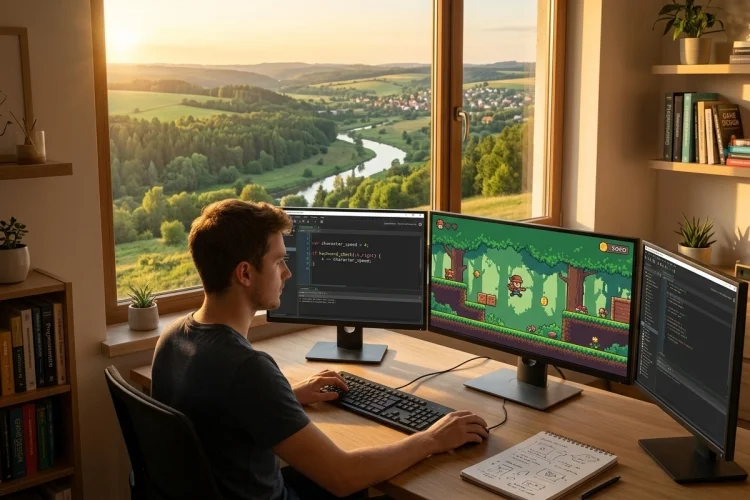
Making a video game involves more than drawing characters and designing levels. The game also needs instructions that determine how the player moves, when enemies attack, how points are calculated, and what happens when someone reaches the end of a level.
In GameMaker, many of those instructions are written using GML. But what is GML, exactly? GML stands for GameMaker Language, the programming language used within the GameMaker engine.
It allows developers to control objects, respond to player input, create gameplay systems, manage data, and connect the different parts of a project. GML is designed specifically for game development, which makes many common tasks relatively straightforward.
Beginners can use it to move a character or track a score, while experienced programmers can build inventories, dialogue systems, procedural levels, artificial intelligence, and other advanced features.
You do not need to understand every part of GML before creating something playable. By learning variables, conditions, functions, and events one step at a time, you can quickly turn a simple idea into an interactive 2D game.
What Is GML?
GML, or GameMaker Language, is the text-based scripting language built into GameMaker. Developers use it to write the rules and behaviours that make their games work.
GML Code can contain variables, functions, expressions, operators, keywords, and references to project assets. It is commonly written inside object events and script assets, depending on where the code needs to run.
For example, imagine that you have created a player object. The sprite determines what the player looks like, but GML determines how fast the character moves, how much health it has, and what happens after it touches an enemy.
A basic line of GML might look like this:
player_health = 100;
This instruction creates or updates a variable called player_health and gives it a value of 100. The game can later reduce that value when the player receives damage.
How GML Works with GameMaker Events
GameMaker uses an event-driven system. Instead of placing all your code inside one enormous file, you usually write instructions inside events that run at particular moments.
Create Event
The Create Event runs when an instance is first created. It is commonly used to establish starting values such as health, movement speed, ammunition, or character state.
move_speed = 4;
health = 100;
score = 0;
These variables are prepared when the player instance enters the game.
Step Event
The Step Event runs repeatedly while the game is active. It is often used for movement, input checks, timers, enemy behaviour, and other logic that must update continuously.
var _horizontal = keyboard_check(vk_right) - keyboard_check(vk_left);
x += _horizontal * move_speed;
In this example, the game checks the left and right arrow keys. The result is multiplied by the movement speed and added to the player’s horizontal position.
Other available event categories include Draw, Collision, Alarm, Mouse, Keyboard, and Destroy events. Choosing the right event helps keep a project organised and prevents code from running when it is not needed.
Variables and Data Types in GML
Variables are named containers that store information while a game is running. GML variables can hold numbers, text, Boolean values, arrays, structs, asset references, and several other data types.
A number might represent the player’s score:
score = 250;
A string can store dialogue or a character name:
character_name = "Mira";
A Boolean stores either true or false:
has_key = false;
Variable scope is also important. An instance variable belongs to a particular object instance, while a local variable exists only inside the event or function in which it was created. Local variables are normally declared with var.
var _damage = 20;
health -= _damage;
Global variables can be accessed from different parts of a project and use the global prefix. They can be helpful for information such as overall progress or settings, although using too many global variables can make a large project harder to manage.
global.total_coins = 50;
Conditions and Loops Control Game Logic
Conditions allow a game to make decisions. The most familiar form is an if statement, which runs code only when a particular condition is true.
if (health <= 0)
{
    instance_destroy();
}
This code checks whether health has reached zero. When the condition is true, the instance is destroyed.
You can also use else to provide an alternative response:
if (has_key)
{
    door_open = true;
}
else
{
    show_message("You need a key.");
}
Loops repeat instructions. A for loop might be used to create several enemies, inspect values in an array, or generate a row of collectible items.
for (var i = 0; i < 5; i++)
{
    instance_create_layer(100 + i * 64, 200, "Instances", obj_coin);
}
The loop repeats five times and places each coin at a different horizontal position. Loops are powerful, but beginners should make sure their conditions eventually become false; otherwise, an accidental infinite loop can freeze the game.
Functions Make GML Code Reusable
A function is a named collection of instructions that performs a specific task. GameMaker includes built-in runtime functions, and developers can also create custom functions for their own projects.
For example, you could create a reusable damage function:
function take_damage(_amount)
{
    health -= _amount;

    if (health < 0)
    {
        health = 0;
    }
}
You can then call it whenever the player is hit:
take_damage(25);
Without the function, you might repeat the same health-management code in several collision events. Reusable functions reduce duplication and make future changes easier.
Functions can also accept arguments and return results:
function calculate_damage(_attack, _defence)
{
    return max(0, _attack - _defence);
}
Separating movement, combat, dialogue, saving, and interface logic into focused functions can make a growing GameMaker project much easier to understand.
Arrays and Structs Help Organise Data
An array is a variable that stores multiple values in an ordered list. Arrays are useful for inventories, level names, dialogue lines, statistics, and collections of enemies or items.
inventory = ["Sword", "Potion", "Map"];
The first item can be accessed with index zero:
current_item = inventory[0];
A struct stores a collection of related variables. For example, a struct could keep an item’s name, price, and power together rather than placing them in unrelated variables.
weapon = {
    name: "Iron Sword",
    price: 150,
    damage: 12
};
You can then access one of its values with dot notation:
attack_power = weapon.damage;
Arrays and structs may seem advanced at first, but they become extremely useful once a project contains many characters, items, levels, or configuration values.
GML Code vs GML Visual
GameMaker also offers GML Visual, a block-based system that allows developers to create logic without typing traditional source code. The blocks still represent programming instructions, but they present them visually.
GML Visual can help complete beginners understand events, actions, conditions, and variables. It removes some of the pressure associated with remembering punctuation and syntax.
GML Code offers greater flexibility for larger systems and is usually more efficient to read once a project becomes complex. It is also easier to copy, reorganise, search, and divide into reusable functions.
The two approaches do not have to be treated as competitors. GameMaker allows object events to be converted between GML Visual and GML Code, so a developer can start visually and move toward written programming over time.
Is GML Easy for Beginners to Learn?
GML is generally approachable because it is closely connected to visible game elements. When you change the x value, the character moves horizontally. When you reduce health, the player takes damage. This direct relationship makes abstract programming concepts easier to understand.
However, GML still requires practice. Beginners commonly struggle with variable scope, event timing, collision logic, and understanding which instance is running a piece of code.
The best learning method is to build a very small game rather than trying to memorise the entire language. GameMaker provides official beginner tutorials covering movement, collisions, platformers, arcade shooters, and complete starter projects.
Start with one room, one player, one enemy, and one goal. Add a feature, test it immediately, and fix problems before moving on. A finished five-minute game will teach you more than an unfinished project with fifty planned systems.
Common GML Mistakes to Avoid
One common mistake is placing too much code inside a single Step Event. Although the game may still run, hundreds of mixed instructions can quickly become difficult to debug.
Another issue is using unclear variable names. Names such as player_speed, enemy_health, and remaining_time communicate their purpose much better than a, value1, or thing.
Beginners should also avoid copying code without understanding where it belongs. Code written for a Create Event may behave differently when placed in a Step or Draw Event.
Finally, test changes frequently. When ten features are added before the game is run, identifying the source of an error becomes much harder. Small changes and regular testing create a safer, faster development process.
GML is the programming language that brings GameMaker projects to life. It controls movement, input, combat, scoring, dialogue, inventories, artificial intelligence, and nearly every other interactive system within a game.
Its event-based structure and game-focused syntax make it accessible to beginners, while functions, arrays, structs, and advanced data tools provide enough flexibility for larger projects. You can also begin with GML Visual before gradually moving into written code.
The most effective way to learn is through practice. Open GameMaker, create a simple object, add a few variables, and experiment with a Create and Step Event. Start with a tiny playable idea, complete it, and let each new project introduce another part of GML.