Choosing a game engine can feel like choosing a vehicle before you have learned how to drive. Some engines offer almost unlimited power but surround beginners with complicated menus, unfamiliar terminology, and technical systems they may not need.
For anyone interested mainly in making 2D games, GameMaker provides a much more focused starting point.
GameMaker is a complete development environment designed around sprites, objects, rooms, events, and other elements commonly used in 2D game development.
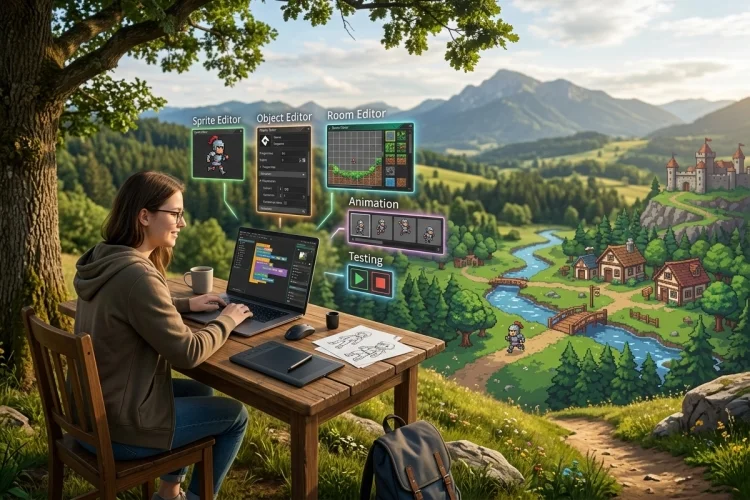
Instead of forcing creators to build every basic system from scratch, it provides visual editors and ready-to-use tools for animation, level design, programming, sound, and testing.
Its accessibility does not mean it is only suitable for small practice projects. GameMaker has been used to create successful independent titles such as Undertale, Hyper Light Drifter, and Chicory: A Colorful Tale.
So, why is GameMaker a great engine for 2D game development? The answer lies in its focused workflow, approachable programming language, rapid testing process, and ability to grow alongside its users.
GameMaker Is Designed Around 2D Development
Many general-purpose game engines treat 2D development as one feature among dozens. GameMaker places it at the centre of the entire experience. Its editors, asset system, terminology, and programming workflow are built around the needs of sprite-based games.
A typical project begins with sprites, which represent characters, enemies, items, backgrounds, and animations. Developers then create objects that control how those assets behave and place instances of those objects inside rooms.
Rooms function as the levels, menus, arenas, or other spaces in which the game operates. Every GameMaker project needs at least one room, which can contain objects, tiles, backgrounds, paths, sequences, text, and particle systems arranged across different layers.
This structure feels natural for creating platformers, puzzle games, top-down adventures, role-playing games, arcade shooters, and visual novels. Developers can spend more time building gameplay and less time configuring systems intended mainly for complex 3D projects.
The Learning Curve Is Friendly for Beginners
GameMaker is popular with new developers because it does not require advanced programming knowledge before something interesting can appear on the screen.
A beginner can import a character image, create an object, place it in a room, add movement instructions, and test the result relatively quickly.
The engine provides two main ways to create gameplay logic: GML Visual and GML Code. GML Visual uses connected actions, allowing users to understand events and programming concepts without immediately memorising syntax.
GML Code is GameMaker’s text-based programming language. It supports familiar concepts such as variables, functions, loops, conditions, arrays, and data structures, but its syntax is approachable enough for first-time programmers.
Developers can also convert object events between visual actions and written code. This makes it possible to begin with GML Visual and gradually move toward traditional scripting as a project becomes more advanced.
Rapid Prototyping Makes Ideas Easier to Test
One of GameMaker’s greatest strengths is the speed at which developers can turn an idea into a playable prototype.
The engine’s event-based system lets objects respond directly to actions such as being created, colliding with something, receiving keyboard input, or being drawn on the screen.
Imagine that you want to test a platformer in which the character jumps between moving platforms. You can create a temporary character sprite, add basic movement and gravity, place a few solid objects in a room, and run the game before producing polished artwork.
This quick feedback cycle is important because many game ideas sound better on paper than they feel in action. By testing early, developers can discover whether movement is enjoyable, whether an enemy is frustrating, or whether a level mechanic is worth developing further.
Fast prototyping is particularly valuable for solo creators and small indie teams. Limited time can be spent improving the strongest ideas instead of building complicated systems around gameplay that has not yet been proven.
Built-In Tools Reduce the Need for Extra Software
GameMaker brings many essential 2D development tools into one workspace. Its Room Editor allows developers to design levels, position assets, organise layers, and control how different visual elements appear.
The Sprite Editor manages animation frames, collision masks, sprite origins, and related properties. GameMaker also includes an Image Editor for creating or modifying simple artwork without constantly switching to external graphics software.
Tilesets can speed up the process of building large environments, while sequences help developers create cutscenes and more complex animations. Additional features include particle systems, paths, shaders, audio controls, cameras, networking functions, and debugging tools.
External programs may still be useful for professional artwork, music, or sound design. However, GameMaker contains enough functionality to build, organise, test, and complete an entire 2D game without assembling a complicated collection of separate development tools.
GML Offers Simplicity Without Removing Control
Visual scripting is useful for getting started, but larger games usually require more detailed control. This is where GameMaker Language becomes particularly valuable.
GML is designed specifically for creating games inside GameMaker. A developer can use it to control character movement, generate enemies, manage inventories, create dialogue systems, save player progress, or design procedural levels.
Because the language works closely with the engine, many common tasks can be performed with relatively short instructions. Developers do not always need to configure several components simply to move an object, detect a collision, or play an animation.
At the same time, GML is capable of supporting complex systems. Experienced developers can work with constructors, structs, methods, data structures, shaders, networking, surfaces, and other advanced features.
This balance allows GameMaker to grow with its users. A beginner may start by moving a square around one room, while an experienced creator can use the same engine to build a complete commercial action game or RPG.
Cross-Platform Exporting Supports Long-Term Growth
A small learning project may eventually become something worth publishing.
GameMaker allows developers to target desktop, web, mobile, GX.games, and supported console platforms from the same core project, although available exports depend on licensing and platform requirements.
This does not mean every version can be published with a single click. Mobile interfaces may require touch controls, web games must consider browser performance, and console releases require approval from the platform owner.
Even so, working from one main codebase is more practical than rebuilding a game separately for every device. Developers can focus on adapting controls, interfaces, performance, and platform-specific features instead of recreating the entire project.
GameMaker is free for non-commercial use across supported non-console targets. Developers who intend to sell their games need a Professional commercial licence, while console development requires the appropriate Enterprise access and approval process.
GameMaker’s official FAQ, updated in February 2026, lists the Professional licence as a one-time purchase rather than a recurring subscription.
Successful Indie Games Prove Its Capabilities
An engine should not be judged only by its feature list. The games completed with it provide a better picture of what it can achieve.
GameMaker has been used for narrative RPGs, fast arcade games, stylish action titles, platformers, and large adventure projects. Well-known examples include Undertale, Hotline Miami, Hyper Light Drifter, Spelunky, Katana ZERO, Chicory: A Colorful Tale, and Pizza Tower.
These games do not all look or play alike. Their variety demonstrates that GameMaker does not force every developer into one visual style or genre.
Of course, choosing the same engine does not automatically produce the same level of success. Design, programming, art, sound, marketing, and persistence still matter.
However, these examples show that GameMaker is capable of supporting polished commercial games rather than only beginner experiments.
Who Should Use GameMaker?
GameMaker is an excellent choice for beginners who want to understand game logic without facing an overwhelming technical setup.
It is also useful for artists, designers, educators, game-jam participants, solo developers, and small teams that need to create playable 2D projects quickly.
The engine is especially attractive for pixel-art games, platformers, top-down adventures, RPGs, puzzle titles, arcade games, and other sprite-based experiences.
Its focused toolset can make development more direct than using an engine built equally around 2D and advanced 3D production.
However, GameMaker may not be the ideal choice for every project. Developers planning a photorealistic 3D world, a highly demanding 3D simulation, or a project that depends heavily on specialised third-party frameworks may prefer another engine.
The best engine is not simply the one with the longest feature list. It is the one that matches the game, the team’s experience, and the way they prefer to work.
GameMaker is a great engine for 2D game development because it combines an approachable learning curve with powerful production tools.
Its sprite-object-room workflow makes sense for 2D projects, while GML Visual, GML Code, fast testing, built-in editors, and cross-platform exports support creators from their first prototype to a commercial release.
Its history of successful indie games also proves that accessibility does not have to limit ambition. Beginners can start with a tiny arcade game, learn one feature at a time, and gradually build more advanced systems.
Download GameMaker, follow an official beginner tutorial, and create a small playable project with movement, collisions, scoring, and a clear ending. Completing that first simple game is the best way to discover what the engine can do.