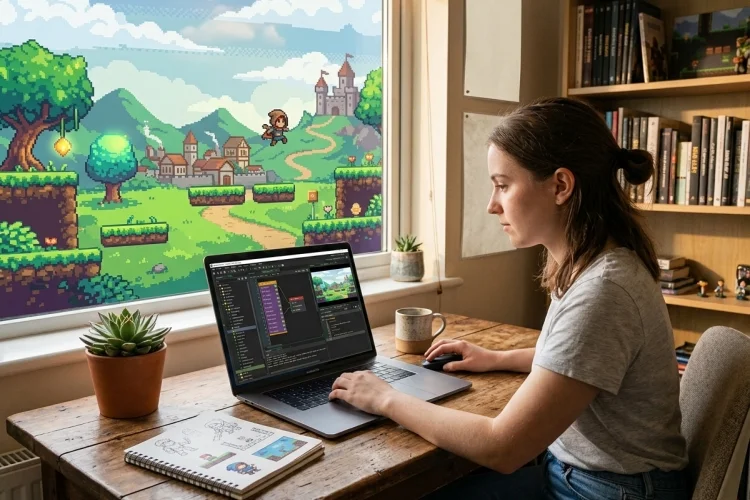
Have you ever played a platformer, pixel-art adventure, or top-down game and thought, “I would love to make something like this”?
Game development can seem intimidating when people start discussing code, animation, physics, and publishing. GameMaker is designed to make that first step easier.
So, what is GameMaker? It is a game development engine focused mainly on 2D games. It brings visual editors, programming tools, asset management, testing features, and export options into one workspace.
Beginners can create simple gameplay without years of coding experience, while more advanced users can build larger systems with GameMaker Language, commonly called GML.
GameMaker supports both GML Visual, which uses connected action blocks, and GML Code, its text-based scripting language. You can begin visually, learn how game logic works, and move toward written code as your confidence grows.
This guide explains how the engine works, what you can make with it, its costs, and how to start your first project.
What Is GameMaker?
GameMaker is a cross-platform game engine developed primarily for 2D game creation. Although 3D projects are possible, its main workflow is built around sprites, objects, rooms, tiles, and event-based logic.
The software began in 1999 and later evolved through GameMaker: Studio and GameMaker Studio 2. The current product is simply called GameMaker. It has powered recognised indie titles such as Undertale, Hotline Miami, Pizza Tower, and Chicory: A Colorful Tale.
Its appeal comes from accessibility. Instead of configuring many separate systems before seeing anything happen, you can create a sprite, give an object some behaviour, place it in a level, and test the result quickly.
How Does GameMaker Work?
The three basic building blocks in a GameMaker project are sprites, objects, and rooms.
1. Sprites
Sprites are the images or animations representing characters, enemies, items, buttons, and scenery. You can import artwork or create simple assets using GameMaker’s Image Editor.
2. Objects and Instances
Objects hold behaviour. A player object might contain movement, collision, health, and animation instructions. When you place a copy of that object in a room, it becomes an instance. This means you can define one enemy object and reuse many enemy instances across a level.
3. Rooms
Rooms are the spaces where gameplay happens. A room might be a level, menu, shop, battle arena, or game-over screen. Every project requires at least one room, and rooms can contain instances, tiles, backgrounds, sprites, and other assets arranged in layers.
GML Code vs GML Visual
GML Code is GameMaker’s written scripting language. It uses familiar programming concepts such as variables, functions, conditions, and loops. You might use it to check whether a key is pressed, move the player, reduce an enemy’s health, or update the score.
GML Visual creates logic through action blocks instead of typed statements. You are still programming, but the instructions are displayed in a more visual format. This can help beginners understand events and decision-making without worrying immediately about syntax.
You can use either approach and convert object events between GML Visual and GML Code. For long-term development, learning GML Code is useful because larger projects are generally easier to organise with written scripts. However, GML Visual remains a practical starting point.
Main GameMaker Tools and Features
The Room Editor lets you design levels, manage layers, and position game elements. The Object Editor connects sprites and behaviours, while the Sprite and Image tools handle artwork and animation.
GameMaker also includes tilesets for faster level building, sequences for animation and cutscenes, audio tools, paths, shaders, networking features, and a debugger for finding errors.
For example, a basic platformer might use a sprite for the hero, an object containing movement code, wall objects with collision behaviour, and a room containing the level. You can then add enemies, coins, checkpoints, music, and menus one feature at a time.
What Can You Make and Where Can You Publish It?
GameMaker is well suited to platformers, role-playing games, arcade shooters, puzzle games, visual novels, card games, top-down adventures, and simulations. Its event-driven object system works especially well for 2D projects with many interactive elements.
GameMaker can export to desktop, mobile, web, GX.games, and console platforms, although access depends on your licence and the technical requirements of each target. Console publishing also requires approval from the relevant platform company.
Beginners should avoid starting with a giant online RPG or a 50-level adventure. A one-room arcade game can teach movement, collisions, scoring, sound, menus, and restart logic without creating an unmanageable workload.
Official beginner resources also recommend finishing a simple project before attempting something complex.
Is GameMaker Free?
GameMaker is free to download and use for non-commercial projects. The free version can export to desktop, mobile, and web platforms, and users can publish to GX.games.
According to GameMaker’s official February 2026 pricing information, selling a game requires the Professional commercial licence, listed at a one-time price of US$99.99, with regional pricing potentially applying. Console exports require an Enterprise subscription.
The main advantages are its approachable workflow, fast prototyping, strong 2D tools, official tutorials, templates, and established community. Its biggest limitation is that it is not the most natural engine for large, visually complex 3D projects.
Pricing and licence terms can change, so check the official website before preparing a commercial release.
How to Start Your First GameMaker Project
Download the stable Long Term Support version and choose a tiny idea. The LTS build is intended to offer a consistent toolset without frequent feature changes interrupting your workflow.
A strong first project needs only one player, one room, one obstacle or enemy, a score, and a clear ending. Use placeholder art so you can focus on gameplay instead of spending days drawing assets.
Learn the basic cycle: create a sprite, create an object, add an event, place an instance in a room, and run the game. Add features separately and test after every change. Finishing a rough but playable game is more valuable than endlessly planning a perfect one.
GameMaker is a beginner-friendly 2D game engine that combines visual editors, GML Visual, GML Code, asset tools, debugging, and multi-platform exporting in one environment.
Its sprite-object-room workflow is simple enough for newcomers, yet flexible enough to support successful commercial indie games. The best way to learn is to build something small.
Download GameMaker, follow one official beginner tutorial, and create a basic project with movement, collisions, scoring, and a restart button.
Once it works, improve the graphics, add sound, or design another level. Start small, finish your first game, and use that experience as the foundation for a more ambitious project.